
Commercial AV · Planning guide
A Practical Guide to Multi-Zone Audio, Display Panels, and Control Systems
Multi-zone audio, display panels, and a control system are three layers of one system: different spaces need different sound and images, and the people who run the building need one clear way to operate them.
A zone is a space that can be controlled on its own — lobby music at one level, a lounge at another, a patio that turns off at a set hour. Display panels are the screens in those spaces. Sources are what those screens and zones play: cable, a streamer, a signage player, a laptop. The control system selects the source, sets the zone, and hides the equipment list.
Media Nexus designs these as one system for Metro Atlanta and Georgia properties. RTI is the preferred control platform. Audio and displays are specified to the space. Video can stay on HDMI for a single room or move onto the network as video over IP to multiple rooms to deliver the same source or different sources.
See automation and control, commercial AV, and digital signage.
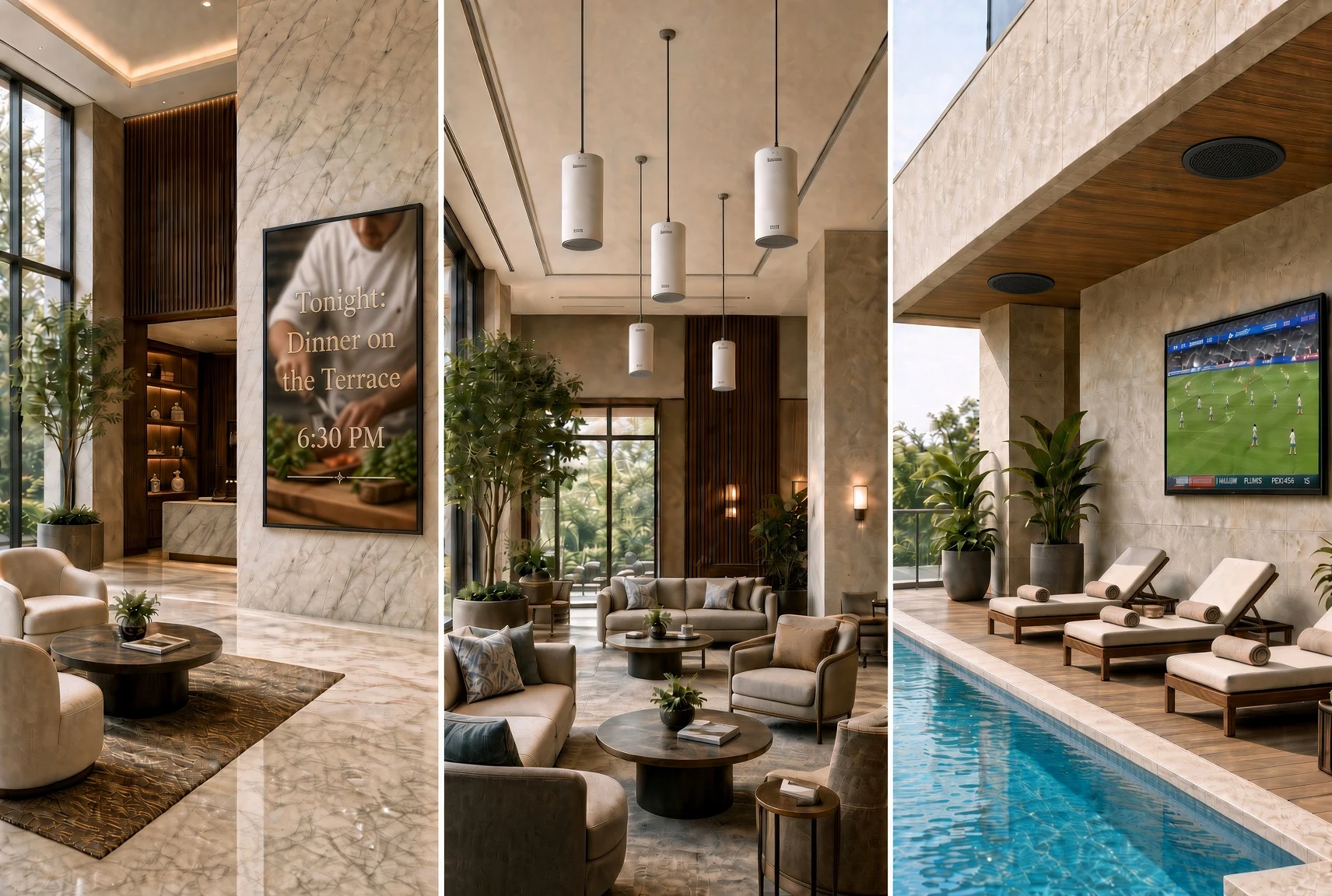
Start with the zones, not the amplifier
List the spaces that should behave differently. A typical office or hospitality property has a lobby, a lounge or dining area, a meeting or training room, and sometimes outdoor or amenity zones. Each one has its own volume, hours, sources, and content.
A zone that shares a source with another zone is still a zone if its level and schedule are independent. A training room that must go quiet during a session is not the same zone as the lounge next door, even if both can play the same stream.
Write down who changes each zone. A manager at a panel, staff on a phone, or a schedule that runs without anyone. That answer decides the interface.
Sources: what the zones and panels actually play
A zone or a panel is only as useful as the sources behind it. Name them before choosing a switcher or a streamer.
Cable and satellite. A set-top box or a headend feed for news, sports, or a house channel. Each box is a source that has to be powered, controlled, and routed. Several rooms watching the same channel may share one tuned source. Rooms that change channels independently need their own tuners or a controllable headend.
Streaming. A professional streamer, a commercial streaming device, a personal phone cast or a signed-in app for background music and program audio. Streaming depends on the network and on who is allowed to pick the service.
Signage and scheduled content. A media player or a commercial display’s built-in player, fed from a content platform. Directories, menus, and announcements belong here, with an owner who can update them.
Local presentation. A laptop on HDMI or USB-C, a wireless presentation device, or a room PC. This is a meeting-room source, not a lobby source.
The control system should present these as names people recognize — Lobby music, Cable, Menu board, Laptop — not as HDMI 1 and HDMI 2.
Multi-zone audio
Background and distributed audio is a coverage and control problem. Speakers are placed for even sound at conversation level. Amplification is sized to the speaker load and the number of zones. A streamer, a cable audio feed, or another named source feeds the zones. The control system selects the source and the level.
Media Nexus uses architectural and commercial loudspeakers — Sonance and JBL among them — where the speaker should disappear into the ceiling, wall, or landscape. Amplification such as Crown is specified when the zone count and load need multi-channel power. Bluesound Professional is a fit when the property wants network-based music streaming and centralized content across zones. An outdoor amenity, a lobby, and a lounge can share a platform and still have independent level and schedule.
Speech and events are different in design. A training room, gym, or sanctuary needs intelligibility, microphones, mixing, and processing — professional audio, not a background zone turned up.
For that class of room, see pro audio.
Display panels: commercial vs. consumer
A display panel is specified for what it shows, how many hours it runs, and who updates it. A meeting-room screen is sized for the seats. A lobby directory or menu board is a signage display with a player and a content platform.
Media Nexus recommends commercial-grade display panels for shared spaces. The reason is duty, not picture quality. A panel in a lobby, a restaurant, a training room, or a menu board is on for most of the day, often every day, and more than one person has to operate it. That is a different job from a television in the living room.
Consumer TVs are generally sold for personal or residential use; check the exact model’s intended use, operating guidance and written warranty. For a screen that will run long scheduled hours or serve the public, compare commercial models with a published duty rating and warranty appropriate to the planned use. The table below gives model-specific planning examples rather than universal class ratings.
Comparison between commercial and consumer grade display panels
Planning examples only: duty rating, brightness, orientation, static-content guidance, connectivity, player features and warranty are model- and region-specific. Confirm the exact product data sheet, manual and written terms before specification.
Swipe horizontally to compare the columns.
| Spec | Consumer TV | Lite Commercial | Full Commercial |
|---|---|---|---|
| Rated duty cycle | No universal daily-hour rating. Check the exact model manual and intended use. | Model-specific example: Samsung 65-inch QBC is rated 16 hours a day, 7 days a week (16/7). | Model-specific example: Samsung 43-inch QMC is rated 24 hours a day, 7 days a week (24/7). |
| Typical brightness | Model-specific. Consumer specifications may not publish a directly comparable typical-nit value. | Samsung QBC example: 350 nit typical brightness. Other models vary. | Samsung QMC example: 500 nit typical brightness. Other models vary. |
| Warranty | Check written terms. Samsung US consumer terms cover normal, noncommercial use and exclude specified damage or brightness issues from commercial or non-normal use; not every business installation is automatically uncovered. | Commercial coverage is model- and region-specific. Confirm the coverage period, service provisions and intended use in the written warranty. | Commercial coverage is model- and region-specific. Confirm the coverage period, service provisions and intended use in the written warranty. |
| Portrait and static content | Verify approved orientation and static-image precautions in the exact model manual. | Verify portrait support and image-retention features in the product sheet and manual. | Verify portrait support and image-retention features in the product sheet and manual. |
| Control and content | Typically HDMI and a consumer remote. Check supported control interfaces. | RS-232, IP control and built-in signage players are available on some models. Confirm compatibility, scheduling and remote-power features. | RS-232, IP control and built-in signage players are available on some models. Confirm compatibility, scheduling and remote-power features. |
| Best fit | Occasional personal or private-office viewing where the intended use, operating guidance and warranty fit. | Shared indoor screens that can be off overnight: offices, meeting rooms and staff areas. Match the rating to actual hours. | Lobbies, menus, directories and other continuously operated screens. Select brightness for the actual room. |
Media Nexus specifies commercial panels — Samsung, LG, ViewSonic, Sony, and others — for shared spaces. The figures above are planning context from published series summaries, not a promise for every SKU. Duty rating, brightness, and warranty are model-specific. Read the sheet and the written terms before the order.
See digital signage and video walls, Conference & meeting rooms
Manufacturer references: Samsung QBC 65-inch specifications; Samsung QMC 43-inch specifications; Samsung US consumer warranty terms.
Getting video to the panels: HDMI and video over IP
A single room with one display and two sources can stay on HDMI. A property with several rooms that need the same cable feed, the same signage, or a laptop in more than one place outgrows a pile of HDMI cables.
Video over IP puts video on the network. An encoder takes a source — a cable box, a signage player, a camera — and sends it as a stream. A decoder at each display, or a display that can join the stream, receives it. The control system then routes “Cable” or “Menu” to Lobby, Lounge, or Training without a dedicated HDMI run to every screen.
It is one available technology, not the default for every project. Use it when sources must be shared across rooms, when cable runs would be long or impractical, or when the system should grow by adding a decoder rather than repulling HDMI. It needs a network designed for it: switches that can carry the traffic, and a plan so video does not contend with everything else on the floor. AVPro Edge is among the video-distribution platforms Media Nexus designs with for this class of job.
Point-to-point HDMI, a small HDMI matrix, and video over IP can exist in the same building. The meeting room may stay on HDMI. The lobby, lounge, and amenity displays may share sources over IP. The control system should make that distinction invisible.
For switch capacity, cabling and network planning, see data networks and WiFi.
Control systems
The control system is what makes zones, sources, and panels usable. Media Nexus prefers RTI: processors, touch panels, keypads, remotes, and mobile interfaces programmed around the actions people actually take. Starting a presentation, changing an audio zone, selecting cable or a stream, or preparing a room should be one or two actions.
RTI can coordinate displays, audio zones, video sources, lighting, shades, and other compatible devices. Interfaces are built around the workflow. Feedback shows status. Schedules can start or stop zones and switch a panel from signage to a meeting source without a person at the rack.
A training room and an adjoining lounge can share one wall-mounted touchscreen. Staff do not keep a separate remote for each space.
How the layers fit
Swipe horizontally to compare the columns.
| Layer | What it does in the design |
|---|---|
| Sources | Cable, streaming, signage players, and local presentation, named for the people who operate them. |
| Audio zones | Independent level, source, and schedule per space. |
| Display panels | Commercial panels for shared, scheduled use. Consumer sets only where duty and warranty fit. |
| Video path | HDMI for a simple room. Video over IP when sources are shared across rooms. |
| Control | One interface for the daily actions. Equipment details stay off the main screen. |
A property can start with one zone and one panel. Additional zones, sources, and screens are added on the same control platform when the design allows it.
How to plan the system
- Name the zones and what each one plays. Note hours and who may change them.
- Name the sources: cable, streaming, signage, laptop. Decide which rooms share a source and which need their own.
- Separate background audio from speech or event audio.
- Specify commercial panels where the screen runs all day or serves the public. Match 16/7 or 24/7 to the real hours. Confirm duty rating and written warranty.
- Choose the video path. HDMI for one room. Video over IP when the same sources must reach several rooms — and include the network in that decision.
- Define the three or four actions on the main control screen. Commission with the real sources.
What goes wrong when the layers are bought separately
- Every zone has its own app. One zone stays at full volume and another is silent.
- A consumer TV in a lobby runs all day, then fails or is refused under a residential warranty.
- Cable boxes are added with no plan for who changes the channel, so every screen shows a different input.
- Video over IP is dropped onto a network that was sized for email. Streams stall. HDMI would have been simpler.
- The touchpanel exposes every input. Starting the lounge takes longer than walking to the rack.
Media Nexus designs the zones, sources, panels, video path, and control together, then tests the actions the building will actually use.
Multi-zone systems in Atlanta and Georgia
Media Nexus Inc is based in Marietta, Georgia. Founded in 2007 by Eyal Kattan, it focuses on commercial environments and serves Metro Atlanta and locations across Georgia, including Savannah, Augusta, Columbus, and Macon. A single lounge and lobby can be a complete first project.
Planning for different property types
Corporate offices and education facilities can coordinate presentation rooms, lobbies and shared-area displays while keeping room sources and audio levels independent.
Hospitality properties, restaurants and retail spaces can plan music, menus, announcements and shared video around opening hours and the staff responsible for updates.
HOA and gated communities and multifamily buildings can give clubhouses, lounges and outdoor amenities their own volume, source and schedule without requiring a separate control app for every space.
Houses of worship and fitness and sports venues should distinguish speech and event audio from background music zones, then coordinate the sources and controls appropriate to each space.
Builders and general contractors can include AV cable paths, network requirements and control locations in the construction plan before the systems are installed.
Frequently asked questions
What is a multi-zone audio system?
It is a set of spaces that can each have their own source, volume, and schedule, fed from shared sources such as a streamer or a cable feed, and operated from one control system.
Should we use commercial display panels or consumer TVs?
Commercial panels are the better starting point for shared spaces that run long hours. Samsung’s cited QBC and QMC models illustrate 16/7 and 24/7 ratings; brightness and commercial warranty coverage vary by model and region. Confirm the exact product data sheet and written terms. A consumer TV may fit occasional private-office viewing if its intended use and warranty permit it, but it is a poor default for a long-hours lobby or training room.
Can cable TV and streaming share the same system?
Yes. Each is a source. Cable may need a set-top or headend per independent channel. Streaming needs a network and a device or platform the control system can select. Present both as named sources on the panel.
What is video over IP?
It sends video across the network from an encoder at the source to decoders at the displays, so several rooms can share cable, signage, or other sources without a dedicated HDMI run to each screen. It needs a network designed for the traffic. It is not required for a single-room system.
What control platform does Media Nexus use?
RTI is the preferred platform: processors, touchpanels, keypads, remotes, and mobile interfaces, programmed around the daily workflow.
Next step
Tell us about the zones
Which spaces need their own sound, which panels have a daily job, and which sources — cable, streaming, signage, or a laptop — those spaces should be able to select. That is enough to plan the audio, the displays, the video path, and the control as one system.