
Meeting Rooms · Planning guide
BYOM vs. Native Conference Rooms: Choosing the Right Setup
A conference room has two jobs: the people in the room have to see and hear the meeting, and the people on the call have to see and hear the room. How that meeting is hosted is a separate decision.
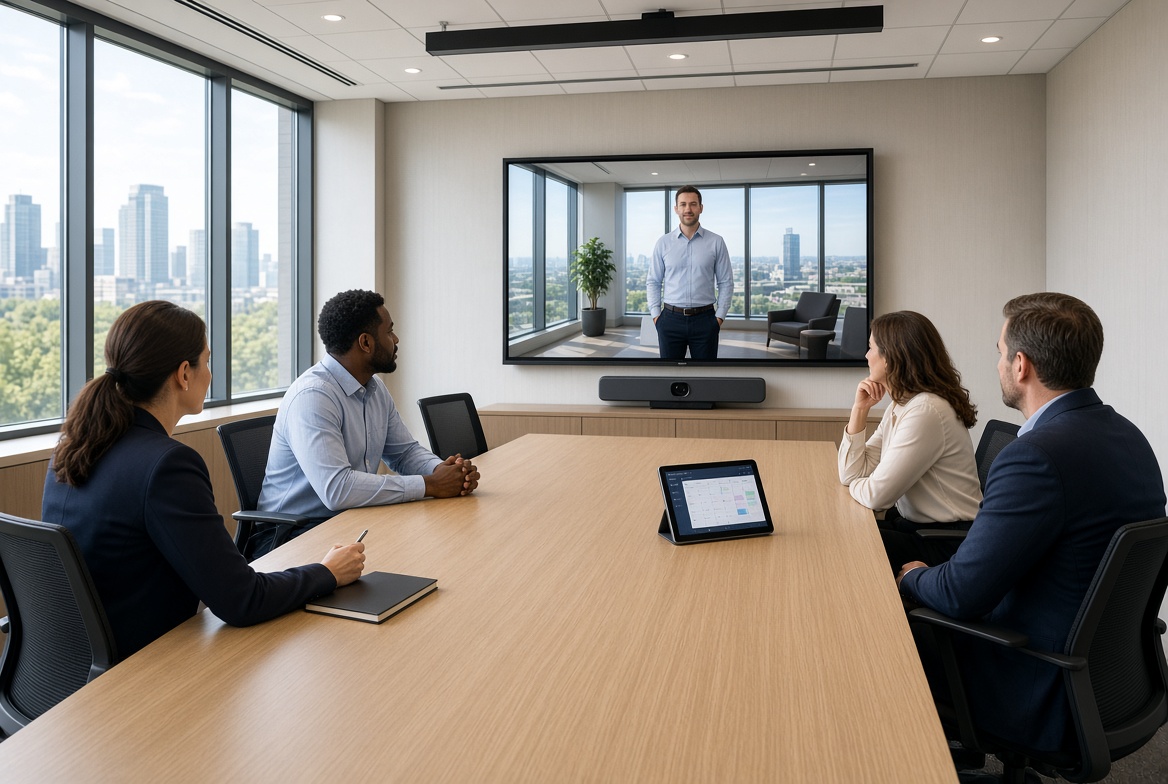
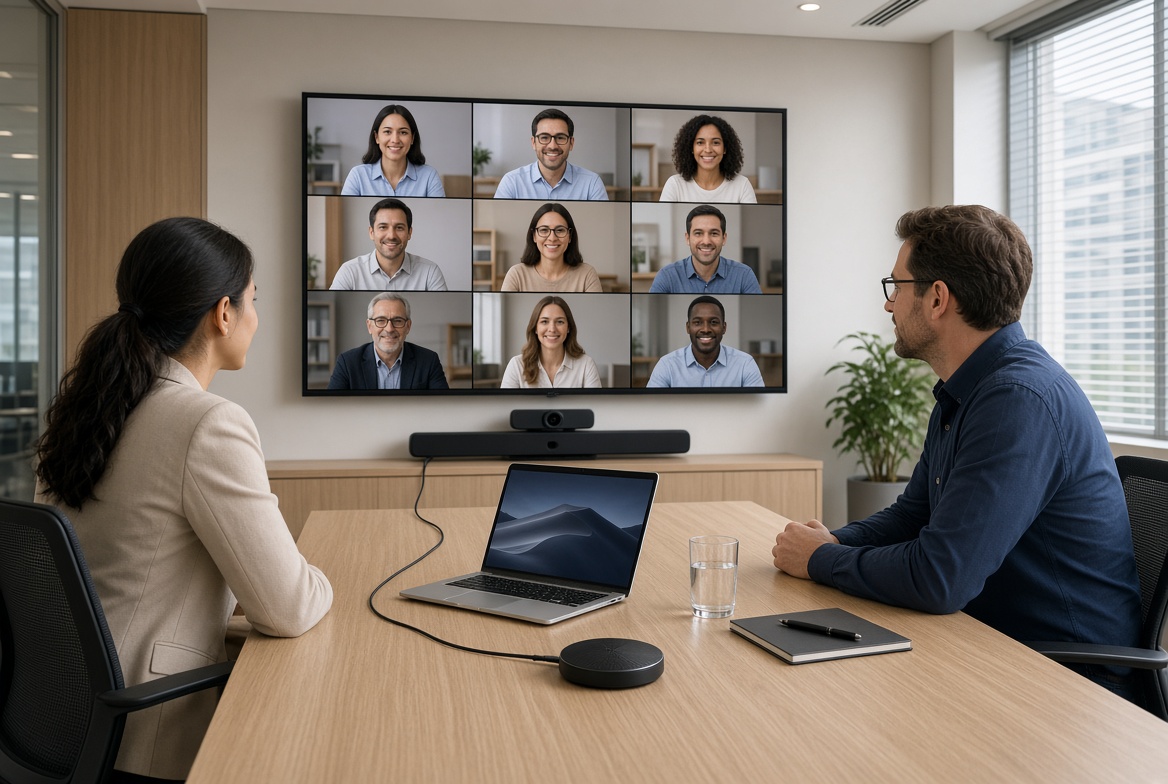
A native room runs a supported meeting platform, such as Zoom Rooms, Microsoft Teams Rooms, or a Google Meet hardware configuration, on a dedicated room computer or meeting bar. Staff tap the calendar on a touch panel and the meeting starts. BYOM — bring your own meeting — keeps the room cameras, microphones, and speakers, but the meeting itself runs on the laptop someone brings in. USB connects the laptop to room camera and audio devices; HDMI or a supported USB-C video connection may carry content to the display.
BYOD is the related idea: bring your own device. In a meeting room it usually means the laptop is both the computer and the meeting client. Media Nexus designs both models for Metro Atlanta offices, from a huddle bar to a boardroom kit, and tests the room with the people who will use it.
See conference and meeting rooms for platforms, bars, and room controls.
What “natively hosted” means
The room has a configured account and a dedicated appliance or computer. Depending on the model and platform, a Yealink MeetingBar, Logitech Rally Bar, Neat Bar, or Yealink MVC kit can run a supported native room experience. With a room calendar and controller correctly configured, staff can join scheduled meetings from the touch panel. Wireless sharing is available on supported setups, rather than a feature to assume on every model.
Yealink’s MeetingBar series puts camera, beamforming microphones, and speakers in one bar for smaller and mid-size rooms. MVC kits scale that idea: a separate camera, microphone array or ceiling mics, speakers or a soundbar, a touch controller, and a compute unit for boardrooms and training rooms. Other vendors also offer bars and larger-room systems; the actual coverage depends on the room layout and chosen model.
Native rooms are the better default when most meetings are on one platform, when guests should not need a dongle, and when the room is booked back to back. The computer is already there. The meeting does not depend on one person’s laptop battery or USB port.
What BYOM means
The room still has professional cameras, microphones, and speakers. The meeting app runs on the laptop. The user plugs in — often one USB cable for camera and audio, sometimes HDMI for content — and selects the room devices inside Zoom, Teams, Meet, or whatever client that laptop already uses.
That is useful when the organization does not live on one platform, when a client insists on their own meeting link, or when a small room does not justify a dedicated Teams or Zoom license and appliance. Some native systems can also offer a BYOM path. Yealink’s MVC BYOD extender, for example, can present an already-installed MVC room to a laptop over USB so the same cameras and microphones serve a non-Teams call. Compatibility is model-specific. It is an option to design in, not a promise that every bar can do both.
BYOM fails when the cable is missing, the USB path is too long without an extender, the laptop does not see the camera, or the user has to pick inputs while the meeting has already started. The room hardware can be excellent and the experience still depends on the person who brought the computer.
Side-by-side
Swipe horizontally to compare the columns.
| Planning question | Natively hosted room | BYOM |
|---|---|---|
| Who runs the meeting? | A room account on a bar or mini-PC | The laptop someone brings in |
| How does it start? | Calendar on the touch panel; one touch join | Open the app, plug in, select room camera and mic |
| Best fit | One primary platform, frequent hybrid meetings | Mixed platforms, client calls, light-use huddle rooms |
| Typical hardware | MeetingBar, Rally Bar, Neat Bar, or Yealink MVC kit plus controller | USB camera or bar, mic, speakers, and a reliable cable or extender |
| What usually breaks | Calendar not tied to the room, or the network cannot carry the call | Wrong USB input, missing dongle, laptop audio still selected |
A room can be native for the company platform and still offer a BYOM cable for the exception. That hybrid is often the practical answer. It has to be labeled. If both paths exist and neither is obvious, staff will invent a third path involving a personal speakerphone.
Room size changes the hardware, not the hosting model
Hosting and room size are separate choices. A small room can be native. A large room can be BYOM. What changes is the camera, the microphones, and whether a single bar is enough.
Huddle rooms, about 2 to 4 people
An all-in-one meeting bar or soundbar with a wide camera is often enough. The bar sits under or above the display. Beamforming microphones in the bar cover the table. A dedicated compute stick or the bar’s own Android compute can host Teams or Zoom. BYOM is also reasonable here if use is light, as long as the USB cable is fixed at the table and the display input is already selected.
Small and medium rooms, about 4 to 8 people
A bar still works if the table is not too deep and the far seats stay inside the camera and mic pattern. Past that, a separate camera with a tighter optical zoom, plus a tabletop or ceiling microphone, hears and frames the room more evenly. This is where a Yealink MeetingBar A-series, a Logitech Rally Bar, or a Neat Bar is typical, and where an MVC-style kit starts to make sense if the room will grow.
Boardrooms and training rooms
One bar at the display rarely covers a long table. Plan a camera that can frame the table or switch views, beamforming ceiling or table arrays, and speakers or a soundbar aimed at the seats — not only at the front row. Yealink MVC kits are built for this: camera, microphone, speaker or soundbar, touch controller, and room PC as one certified system. Content sharing, a second display, and a control panel belong in the same design.
Cameras
Remote participants judge the room by the camera, not by the furniture.
A meeting-bar camera is a wide-angle lens in the bar, often with digital or optical zoom and auto-framing. It is the right tool when everyone sits close to the display. In a longer room it crops people at the far end or makes them too small to read.
A separate PTZ or ePTZ camera — common in MVC and Rally-style kits — can sit above the display, on the wall, or in the ceiling and frame the table. Dual cameras, one for the room and one for a whiteboard or presenter, help training rooms. Auto-framing and speaker tracking are useful only after the camera is aimed and the room lighting is even. A camera pointed at a bright window will expose the glass and lose the faces.
Beamforming microphones
A beamforming microphone array uses several mic elements and processing to favor the person who is talking and reduce sound from other directions. Meeting bars include this in the bar. Larger rooms add a tabletop pod or a ceiling array so the far seats are not shouting at a bar six meters away.
Beamforming is not a substitute for a quiet room. HVAC on the ceiling mic, a hard table with no treatment, and open glass still reach the call. Placement matters: a ceiling mic belongs over the talkers, not over the projector. A table mic belongs where laptops will not cover it.
Speakers and soundbars
The loudspeaker has to cover the seats, not just the person nearest the display. A meeting bar’s built-in speakers are enough for a huddle room. A longer table needs a soundbar, a second speaker, or ceiling speakers so the back row is not leaning forward. Echo cancellation only works if the microphones and speakers are part of the same audio design. A TV’s own speakers plus a separate USB mic is a common way to create echo.
DSP: the processing that makes the call intelligible
DSP — digital signal processing — is the audio brain. It handles echo cancellation, noise reduction, automatic gain, and mixing. In a meeting bar, the DSP is inside the bar. In an MVC or Rally kit, it is in the microphone, the camera bar, or a separate processor.
A room can have good microphones and still sound bad if the DSP is bypassed. That happens when a laptop uses its own mic, when a display speaker is outside the echo-cancellation path, or when two USB audio devices are selected at once. Enhanced audio is a configured path, not a feature sticker. The test is a call with someone outside the room, not a loopback in the installer app alone.
Control systems
Native rooms usually include a touch panel: Yealink MTouch, Logitech Tap, Neat Pad, or a similar controller. The panel wakes the display, joins the meeting, adjusts volume, and shares content. That is the control system for most offices.
A broader control system — for example an RTI touchscreen, as on the Bridge Commercial Lenox training room — makes sense when the same panel must also select sources, lighting, or a lounge display. It should still start the meeting in one or two actions. A control system that exposes every input is how rooms end up with a ten-minute preamble.
Related: automation and control and
What goes wrong when the room is only a pile of gear
Most late meetings are design and configuration problems, not a dead display.
- The meeting starts on the laptop mic. The ceiling array or bar is installed and never selected. Remote people hear the table, not the room.
- Display speakers and a separate microphone are not in one echo-cancelled path. The call howls or the far side sounds hollow.
- The camera frames the ceiling, the window, or only the two seats nearest the screen.
- BYOM depends on a cable that lives in a drawer. The one person who knows which USB port works is out.
- A native room is not on the room calendar, so one-touch join has nothing to join.
- The network was sized for email. The camera, the room PC, and wireless sharing contend with everything else on the floor.
- No one commissioned the room on a real call. DSP, gain, and camera presets were left at factory defaults.
Media Nexus treats that list as the design brief: platform first, then display, camera, audio path, control, and the network, then a test with the people who will run the room.
If the network is the weak layer, include data networks and Wi-Fi in the same project.
How to choose
- If almost every meeting is Teams, Zoom, or Google, and the room is used daily, host it natively. A MeetingBar or MVC-style kit plus a touch panel is the predictable path.
- If the room hosts client platforms all week, design BYOM with a fixed cable, a labeled USB path, and room devices that the laptop can select in one step. Add a native mode only if one platform still dominates.
- Match microphones and cameras to the far seat, not to the brochure photo of a four-person table.
- Keep speakers and microphones in one DSP path. Do not add a TV speaker as an afterthought.
- Put the everyday control on one panel. Hide the rest.
Media Nexus Inc is based in Marietta, Georgia, and designs conference rooms across Metro Atlanta and the state. The firm was founded in 2007 by Eyal Kattan and works on commercial rooms — huddle spaces, boardrooms, and training rooms — rather than a single consumer kit for every opening.
Frequently asked questions
What is BYOM?
BYOM means bring your own meeting. The laptop runs Zoom, Teams, Meet, or another client. The laptop uses a USB connection for room camera and audio devices; HDMI or supported USB-C video can connect its content to the room display.
What is a natively hosted conference room?
The room has a supported native platform—such as Zoom Rooms, Microsoft Teams Rooms, or a Google Meet hardware configuration—on a meeting bar or room PC. When its calendar and controller are configured, people can join from the panel without bringing a laptop to host the call.
Is a Yealink MeetingBar the same as an MVC system?
No. A MeetingBar is an all-in-one camera, microphone, and speaker bar, often with its own compute, for smaller and medium rooms. A Yealink MVC kit separates the camera, microphones, speakers or soundbar, touch controller, and mini-PC for a Microsoft Teams Rooms setup; other platforms and configurations require their own supported hardware.
Do we need a beamforming microphone if the bar already has mics?
In a huddle room, the bar array is often enough. In a longer room, add a table or ceiling beamforming array so the far seats are inside the pickup pattern. The bar mics should not be the only microphones if people sit well away from the display.
What does the DSP do?
It cancels echo, steadies volume, and reduces noise so the far side hears speech instead of the room. It only helps devices that are on the processed audio path. A laptop mic or a TV speaker outside that path bypasses it.
Can one room do both native meetings and BYOM?
Often yes, if the platform and hardware support a second path — for example a USB BYOM extender on a compatible MVC system, or a dedicated BYOM input beside a native bar. It has to be designed and labeled. Not every meeting bar supports both modes.
Next step
Tell us about the room
How many people sit down, which platform do you use, and do guests bring their own links? We can plan one room or a connected set of spaces around how your team actually meets.